
See JudgeWise in action
A quick walkthrough of running an expert-driven competition end to end — from submissions to finalists. The screens below are from a real sample competition.
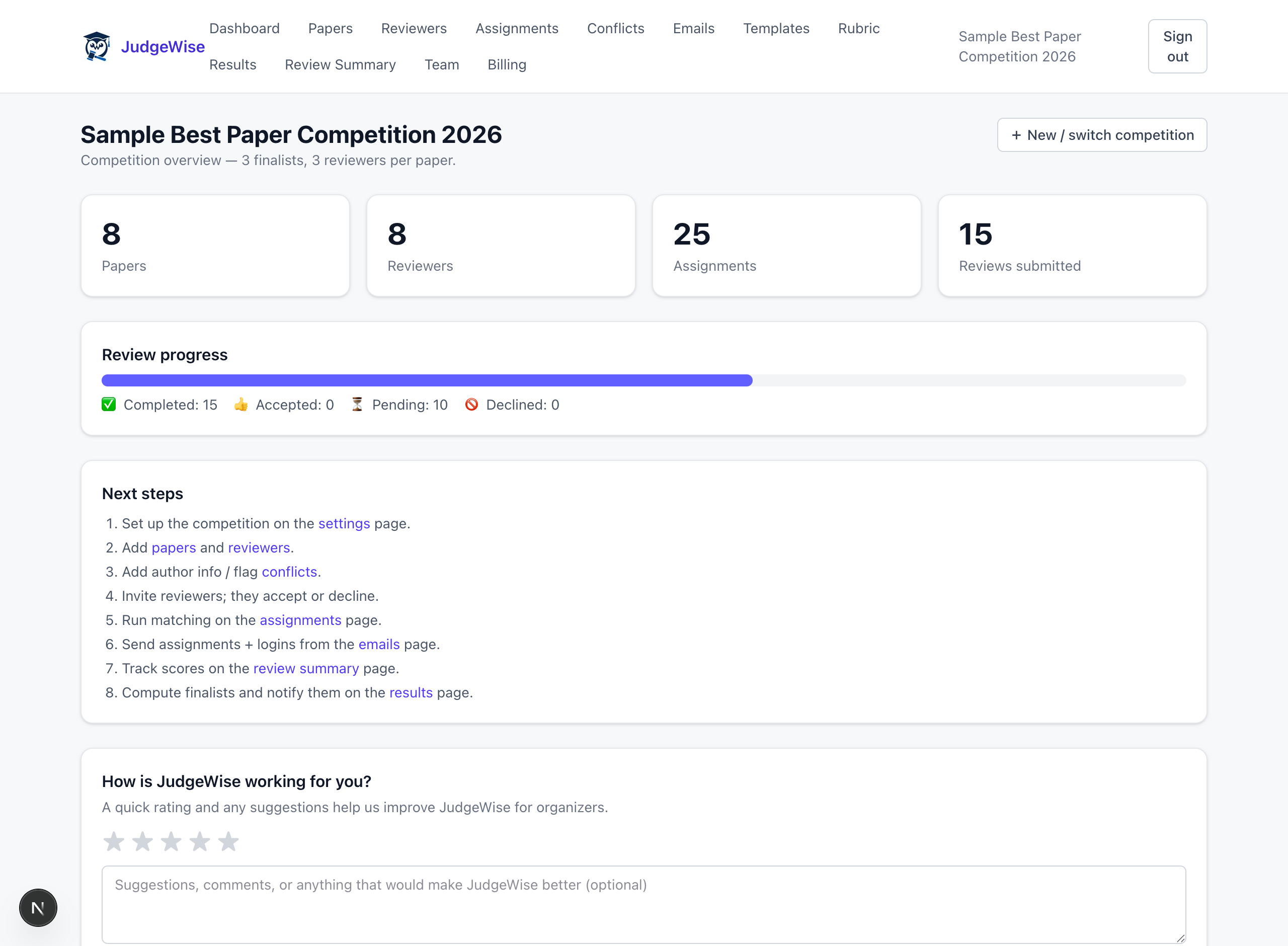
Your competition at a glance
One dashboard tracks submissions, experts, assignments, and review progress — so you always know where things stand.
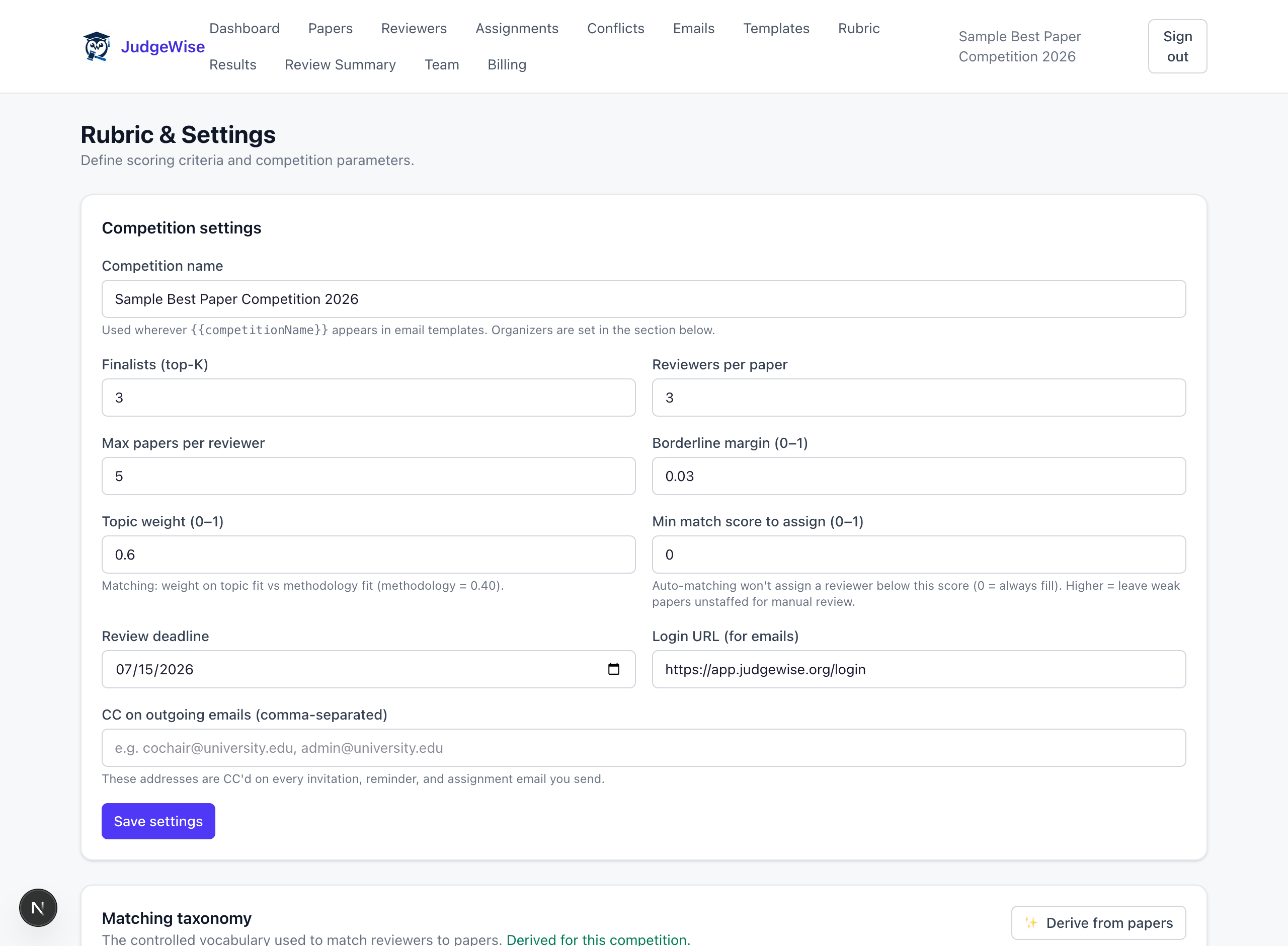
Set your rubric and competition settings
Define weighted scoring criteria, reviewers-per-paper, the deadline, and how many finalists to pick — plus the matching weights and your own field-specific taxonomy.
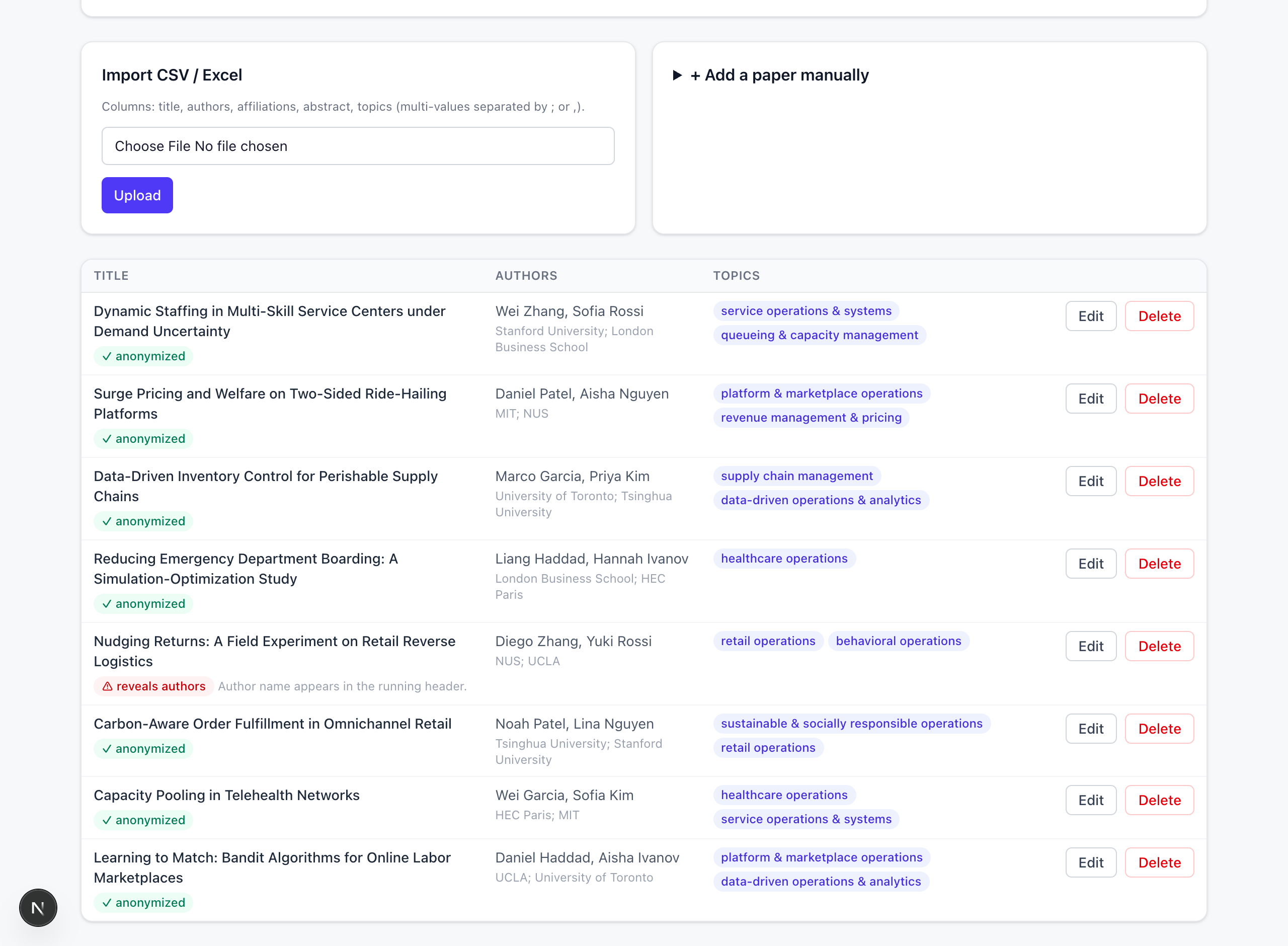
Add submissions — with blind-review checks
Import submissions in bulk or one at a time. Fields are extracted automatically, and an AI check flags any file that accidentally reveals author identity before review begins.
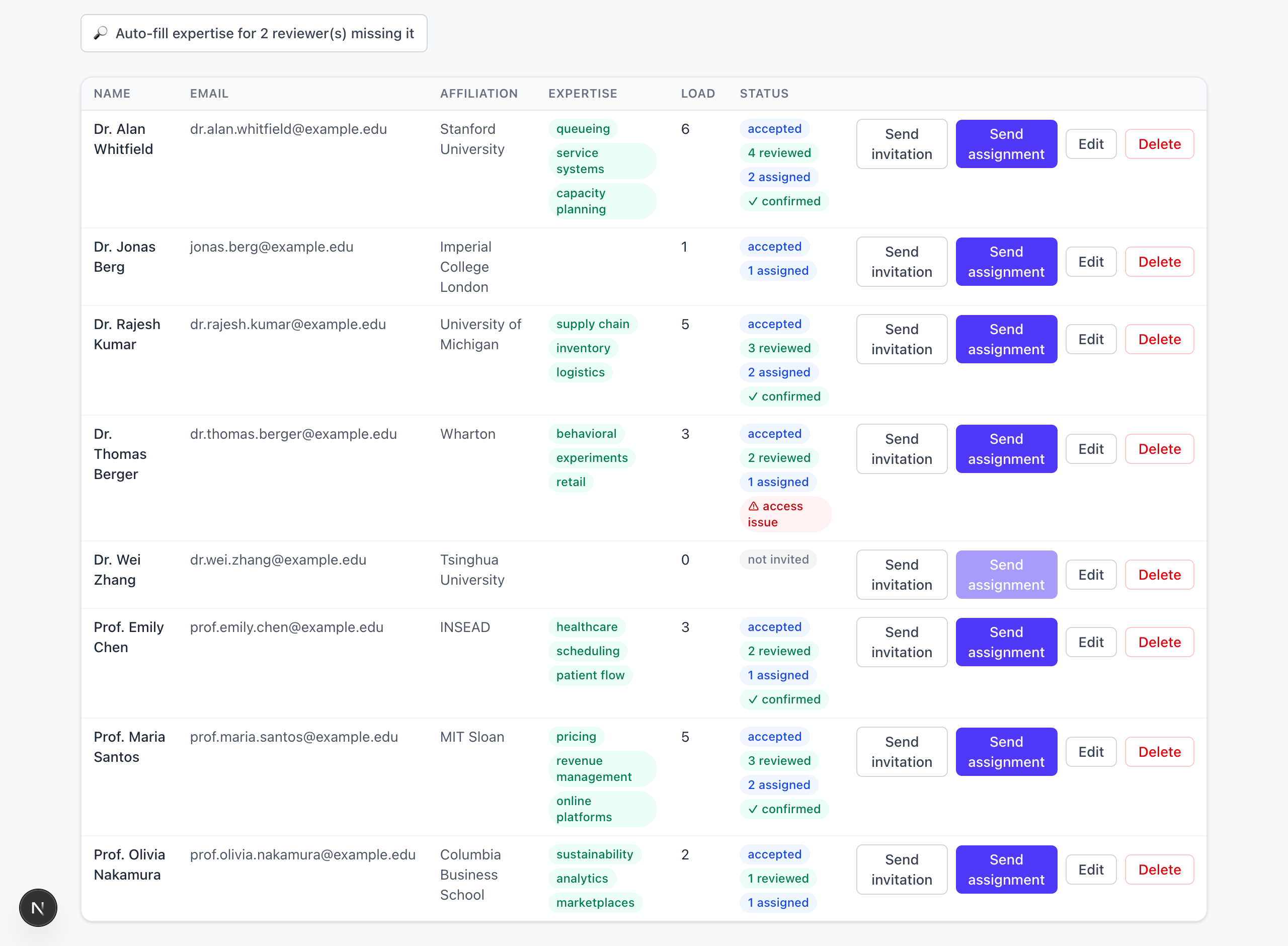
Add experts and auto-fill their expertise
Import an expert list or add people manually — JudgeWise can fill in their topic areas from the web. Track who has accepted, reviewed, and confirmed at a glance.
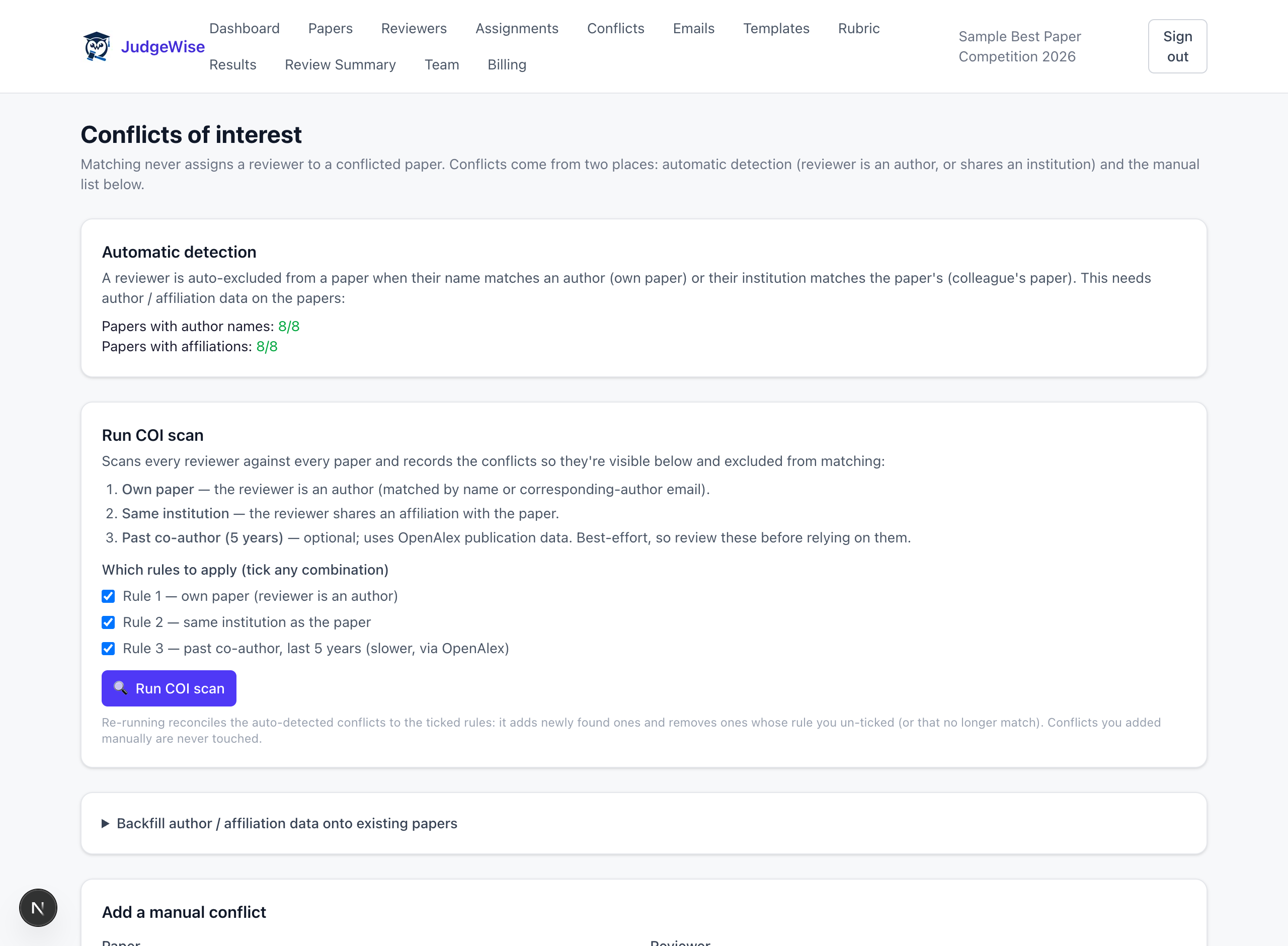
Flag conflicts of interest before matching
Scan every expert against every submission and auto-exclude conflicts — own submissions, shared institutions, and recent co-authors — so no one is ever assigned work they shouldn't see. You can add manual conflicts too.
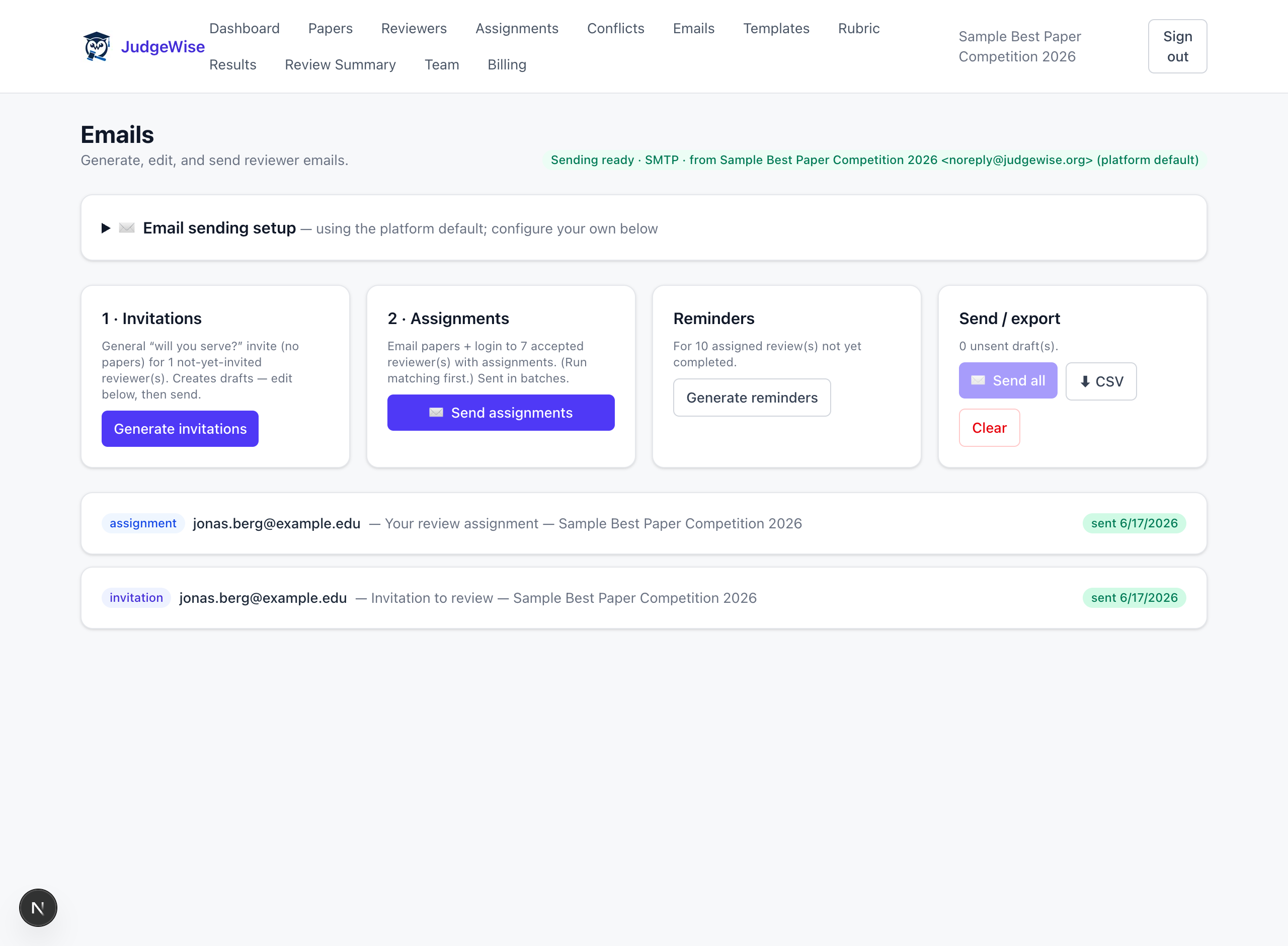
Invite your experts
Generate branded “will you serve?” invitations and send them in a click. Experts accept or decline with one click, and the status updates automatically — all editable from your own templates.
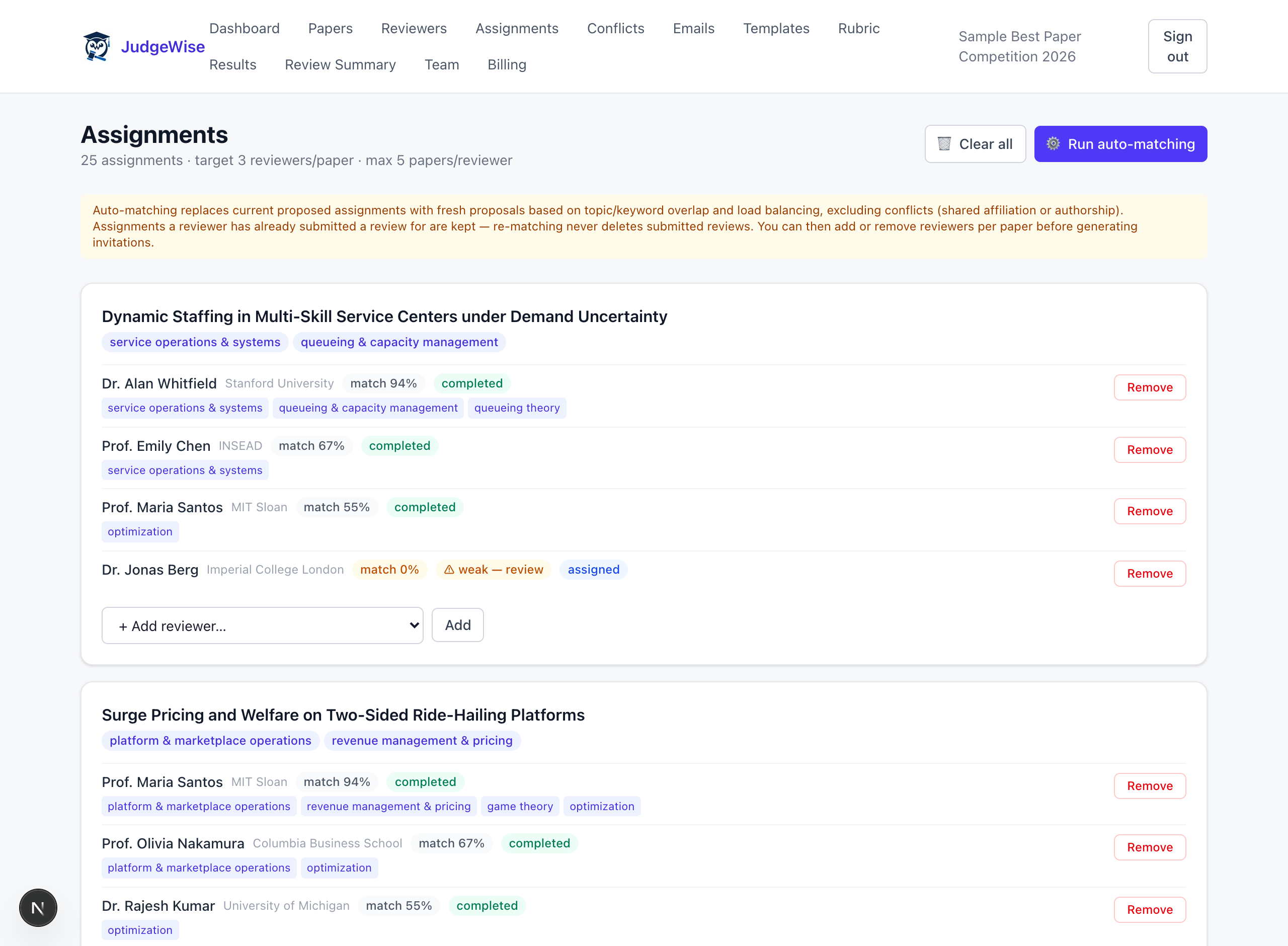
Auto-match submissions to the right experts
One click proposes globally-optimal assignments by subject-area overlap, while respecting per-expert load limits and excluding the conflicts you flagged. Tweak per submission before sending.
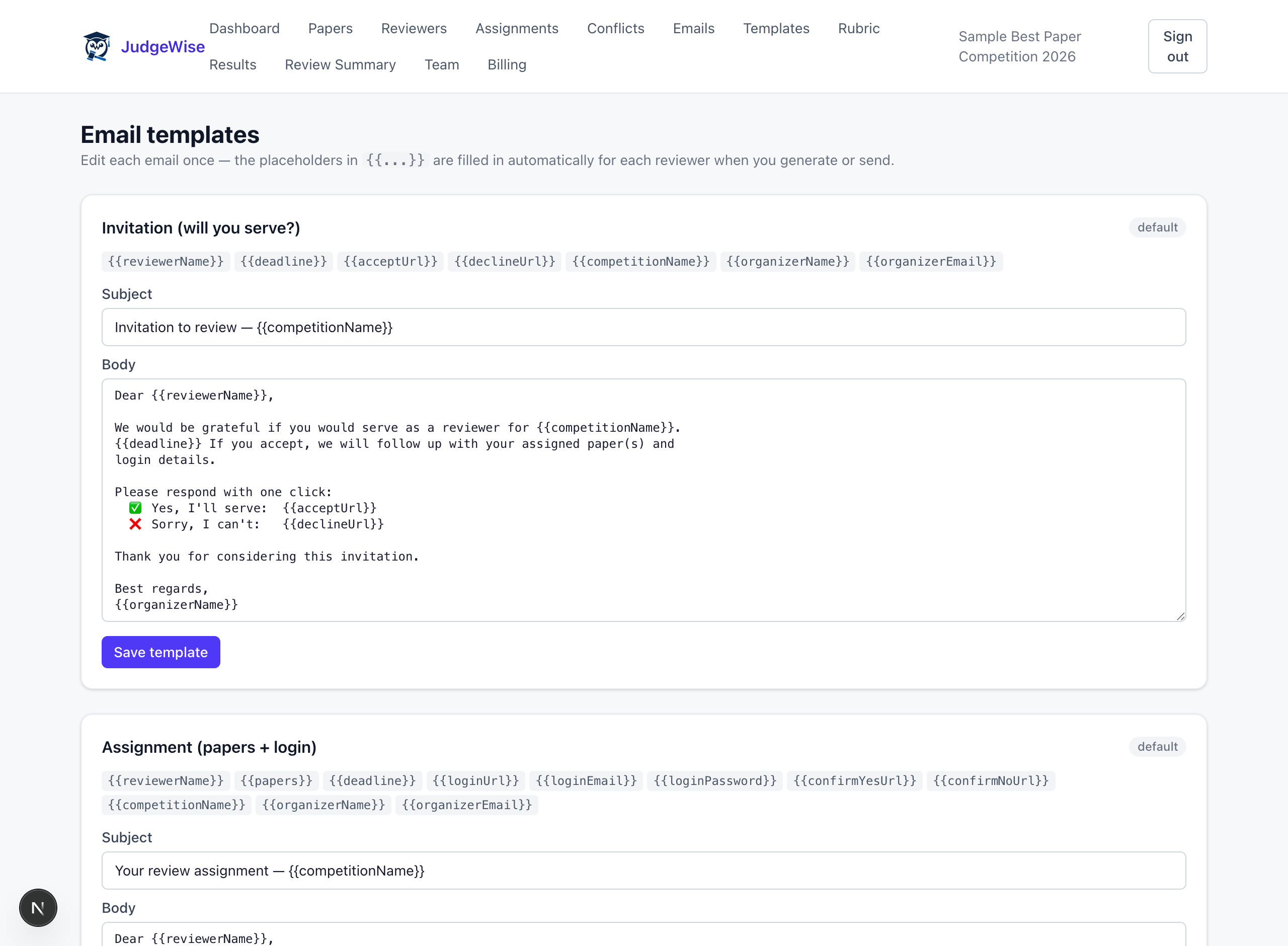
Send assignments, logins & reminders
Email each expert their assigned submissions and a one-click login, then nudge anyone running late with reminders. Every email — invitation, assignment, reminder, results — is branded to your competition and yours to edit.
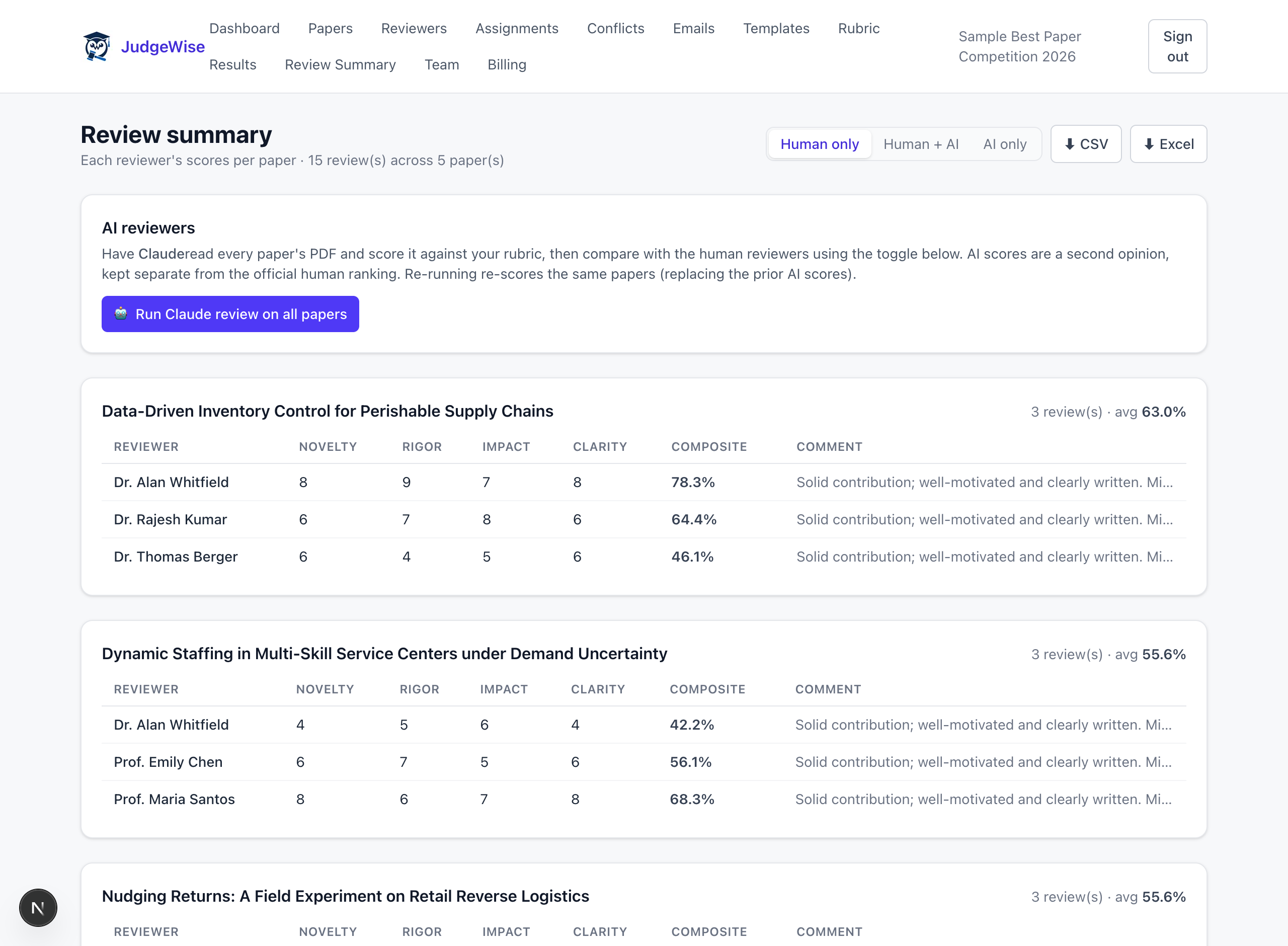
See every score side by side
Experts score submissions on your weighted rubric. The review summary compares scores across experts and submissions so nothing slips through.
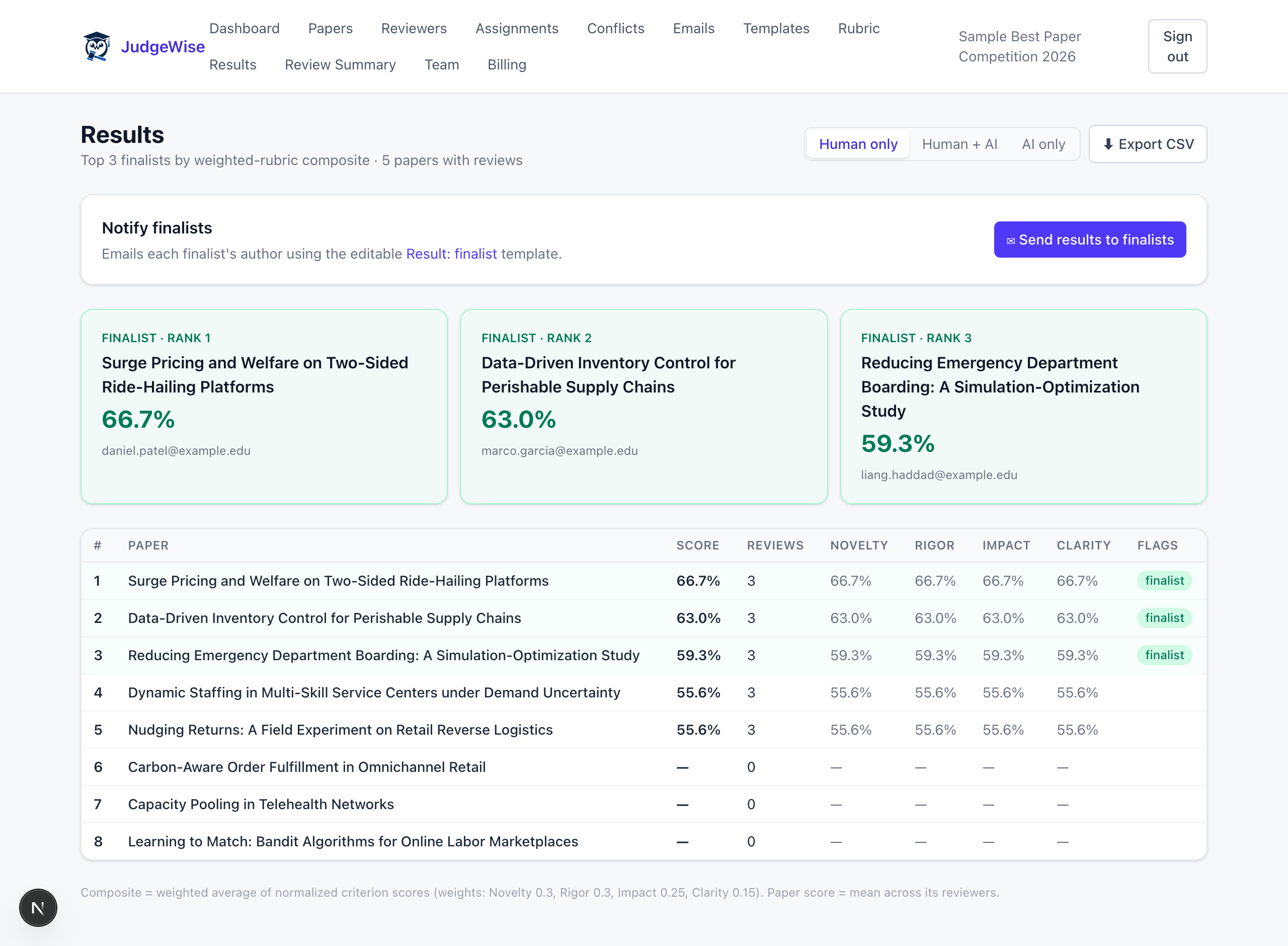
Compute finalists
Weighted results rank the field automatically and surface borderline cases for a closer look — then notify finalists and participants in a click.
Ready to run yours?
JudgeWise is invite-only during beta. Request a code and we'll get you set up.